
Issue Overview
If your Emove Cruiser V2 displays Error Code 02 along with the motor icon, it indicates a possible issue with the motor hall sensor. In most cases, the scooter still operates normally, but the error should be addressed to avoid future performance problems.
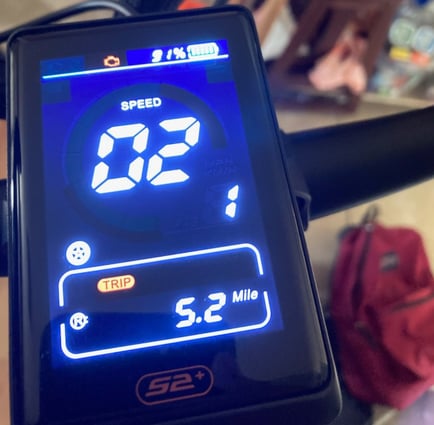
Resolution Steps
-
Power Off the Scooter
-
Ensure the scooter is completely turned off before starting.
-
-
Locate the Plug-and-Play Area
-
Find the hall sensor connector, usually near the motor or controller area.
.png?width=438&height=342&name=1280X1280%20(1).png)
-
-
Unplug the Connector
-
Hold the connector firmly and carefully unplug it from the socket. Avoid pulling directly on the wires.
-
-
Inspect the Prongs
-
Check the connector prongs for dirt, corrosion, or damage.
-
Clean gently if necessary.
-
-
Reinsert the Connector
-
Align the arrows or markers on the connectors.
-
Plug it back in securely until it is fully seated.
.png?width=464&height=339&name=1280X1280%20(2).png)
-
-
Power On the Scooter
-
Turn the scooter back on and check if the error message clears.
-
-
Verify Operation
-
Confirm the scooter rides normally and that Error Code 02 no longer appears.
Cruiser V2 Error codes:Cruiser V2 videos:https://portals.wetransfer.com/portals/a6a5626b-091f-4552-aac4-4c3055d6ed38
-
Additional Notes on Error Codes
-
Dual Motor Display Issue
-
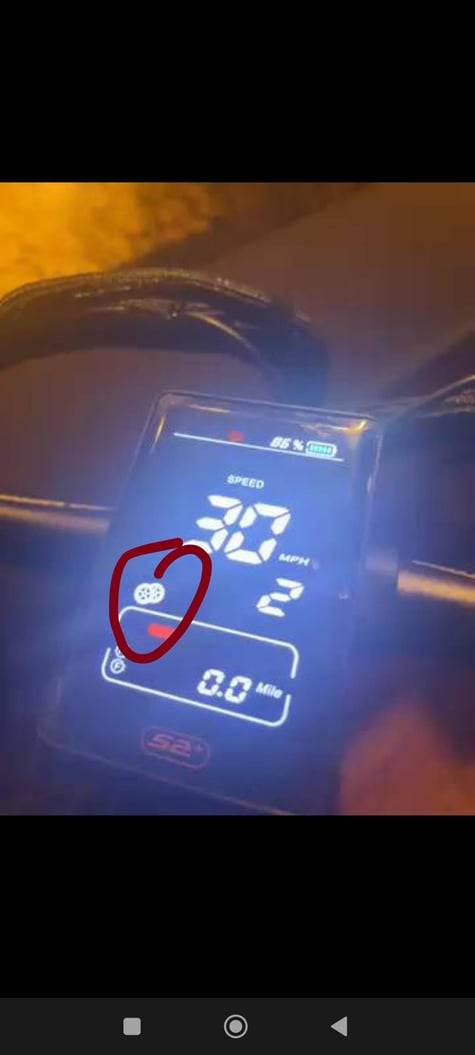
If your Cruiser V2 is a single motor model but the display shows two wheels, it may trigger Error Code 30 or 6.
-
Solution:
-
Enter P Settings.
-
Go to AA setting and set it to 1 (single motor mode).
-
Power off the display, then turn it on again.
-
-