
Keywords: Roadrunner PRO p settings
Primary & Secondary Screens
Primary Screen:
-
Displays essential ride information such as speed, battery, and mode.
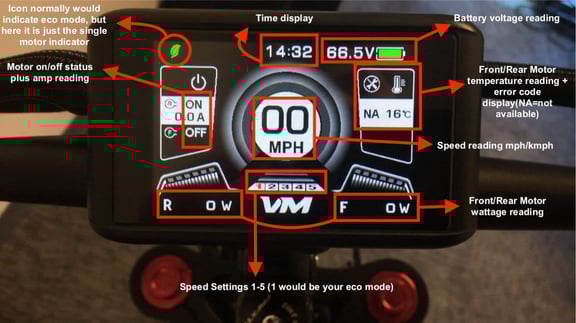 fig.1: Roadrunner pro displaymain screen
Secondary Screen:
-
Accessed by pressing the Mode (M) button.
-
Provides additional ride details and options.
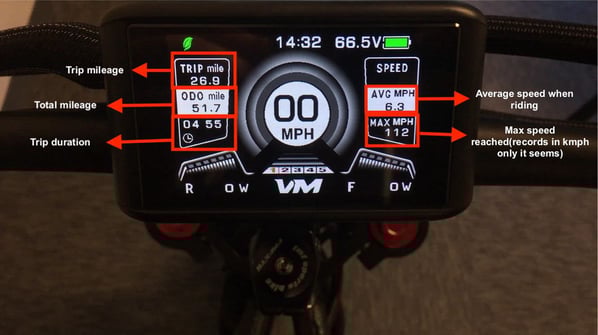
trip mileage, total mileage, trip duration
TFT Buttons
-
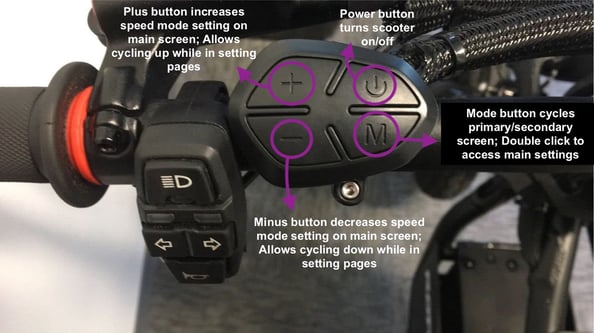
The TFT has buttons for navigation, mode selection, and adjusting settings.
-
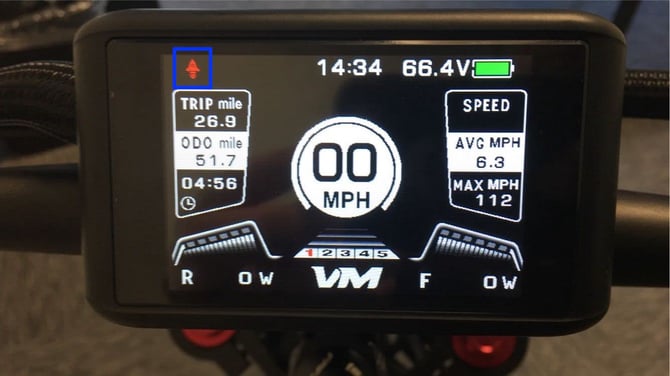
Dual Motor Icon:
-
Indicates dual motor mode is active.
-
The display should save the dual motor setting even after powering off.
-
RR Pro Main Settings (Formerly “P-Settings”)
-
Access these by double-clicking the Mode (M) button.
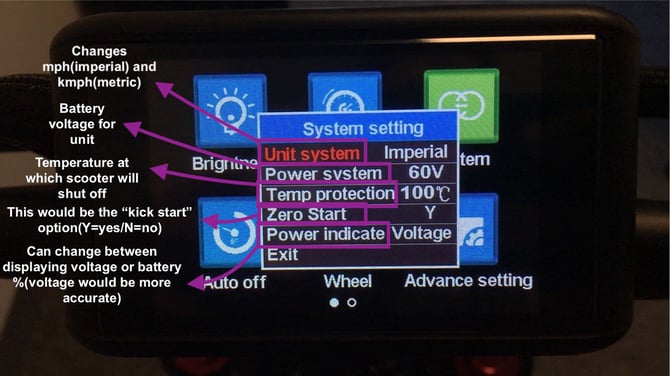
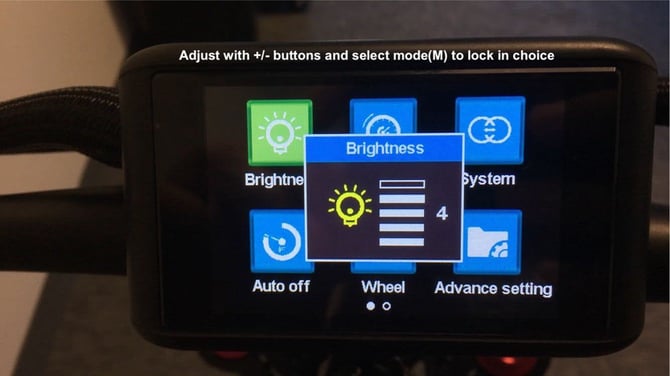
Key Notes:
-
Brightness: Level 5 shows as 5, but actual brightness may default to 4 when powering on. Manually adjust to reach level 5 if desired.
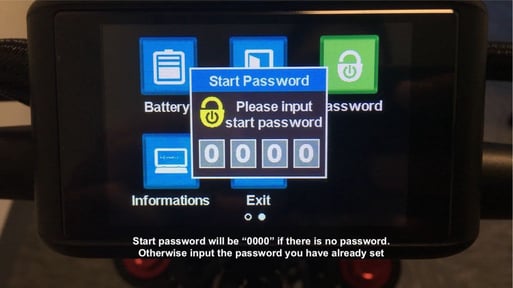
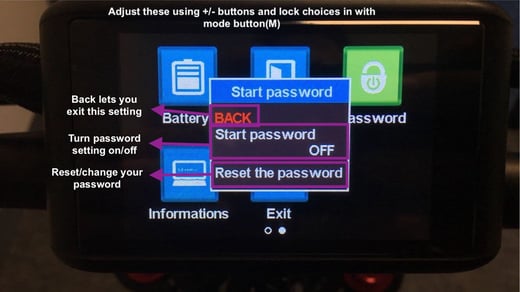
Advanced Settings Password: Default is 2112. (Subject to confirmation if it can be changed.)
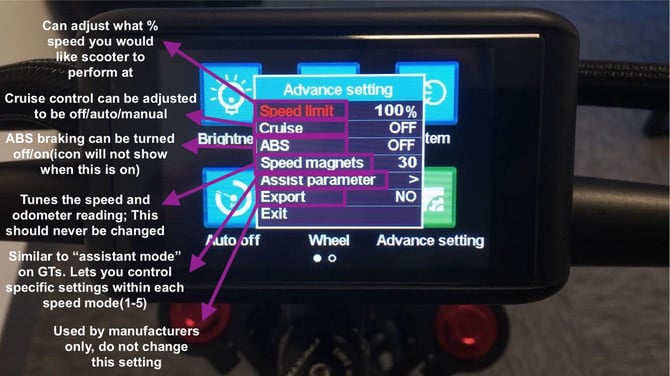
speed limit,cruise control, ABS, speed magnets,assist parameter, expor, exit
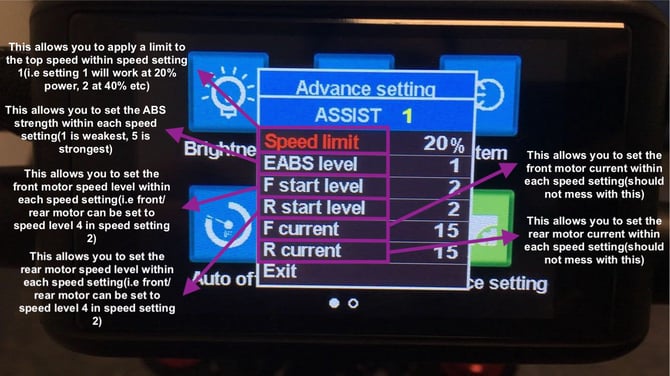
Speed limit, EABS level, F start level, R start level, F current, R current
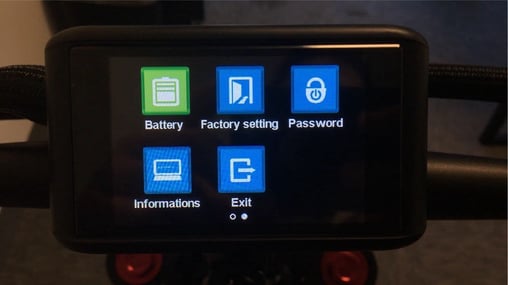
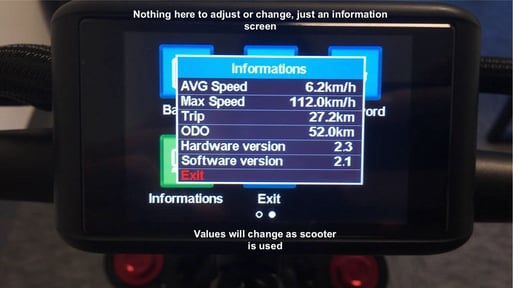
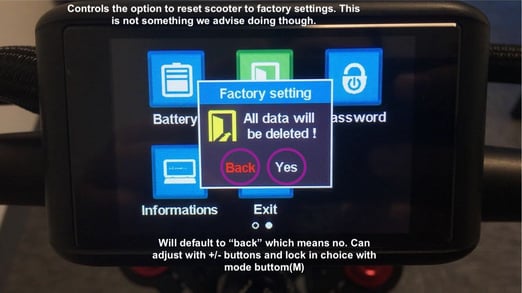
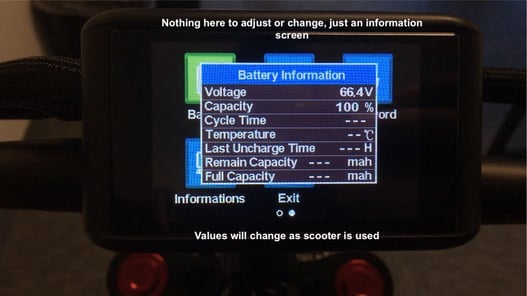
This is the second page of settings:
Additional Tips
-
Speedometer & Odometer Accuracy: Readings may be slightly off from real-world values. For precise measurement, a GPS device is recommended.
Error CODES:
-4.png?width=670&height=328&name=1280X1280%20(1)-4.png)
Error 1, 2, 4, 5, 6, 7 and 8.